
Mech Factory for PC
Classic Battletech ToolkitUpdated August 18, 2023
Mech Factory PC Details
| Category | Tools |
| Author | Mech Factory |
| Version | 16.3.6 |
| Installations | 50000 |
| Size | 129.1 MB |
| What's New | New in 16.3:- Biometric loginNew in 16.2:- BA weapons on vehiclesNew in 16.0:- Unit Manager (public beta)New in 15.9:- New fields added to filtersNew in 15.8:- Facelift in Equipment db.New in 15.7:- Faction availabilityNew in 15.6:- Filter templatesNew in 15.4:- Sync system changesNew in 15.3:- Aerospace DB update- Stability fixesNew in 15.2:- Munition selection for Mechs,CVs,SVs and Aeros |
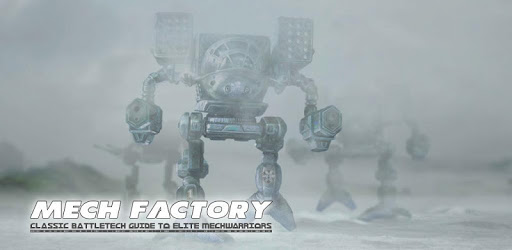
Mech Factory: The Ultimate Battletech Companion
Are you a fan of Battletech? Do you find yourself constantly searching for information about mechs, rules, and units? Look no further than Mech Factory, the essential Battletech companion app that has taken the gaming community by storm. With its comprehensive features and user-friendly interface, Mech Factory is the go-to app for all your Battletech needs.
A Wealth of Information at Your Fingertips
One of the standout features of Mech Factory is its vast database of information. Whether you're looking for quick references for rules and units in campaign games or simply want to explore the rich lore of the Battletech universe, this app has got you covered. With just a few taps, you can access tons of information, making it a valuable resource for both new and experienced players.
But Mech Factory doesn't stop at providing information. It also offers a well-designed roster editor, allowing you to create custom mechs and vehicles. This feature is perfect for those who love to tinker with different designs and experiment with their own creations. The possibilities are endless!
A Seamless User Experience
One of the things that sets Mech Factory apart from other Battletech apps is its seamless user experience. The app is incredibly intuitive and easy to navigate, ensuring that you can find what you're looking for without any hassle. Whether you're a casual player or a hardcore Battletech enthusiast, you'll appreciate the app's user-friendly design.
Furthermore, Mech Factory offers a range of options and bonuses that are well worth the investment. By removing ads and enabling local download of content, you can enhance your experience and support the developer. It's a win-win situation!
FAQ
Can I design superheavy mechs in the editor?
Unfortunately, the ability to create superheavy mechs is not currently available in the editor. However, the app's developers are constantly working to improve and add new features, so it's possible that this functionality may be added in the future.
Can I choose the weapon model manufacturer?
While you can select power plant models, communication systems, and targeting systems, the ability to choose weapon model manufacturers is not currently supported. This is a minor limitation, but it doesn't detract from the overall usefulness of the app.
Does Mech Factory support using record sheets in-app during a regular game?
Currently, Mech Factory does not fully support using record sheets in-app during a regular game. While there is a virtual tabletop feature, it is not optimized for use alongside mapsheets and minis. However, the app's developers are constantly working on updates and improvements, so it's possible that this functionality may be added in the future.
In conclusion, Mech Factory is the ultimate Battletech companion app. With its wealth of information, user-friendly interface, and ongoing support from the developers, it's a must-have for any Battletech/Megamek player. Whether you're a seasoned veteran or just starting your journey into the Battletech universe, Mech Factory has everything you need to enhance your gaming experience. Download Mech Factory today and join the ranks of satisfied players!
How to Install Mech Factory on PC
Below instructions allows you to download and install Mech Factory app on Windows or MAC computer using an Android emulator. The process involves:
Download APK:Downloading the Mech Factory APK file by choosing a version.
Install Android Emulator:There are a number of Android emulators the internet. Choose a emulator that works better with your PC. Now, download and install the Android emulator software.
Run the Emulator:Open the emulator you have just installed and configure the settings such as display, keywords, mouse etc.
Install Gene:Open the downloaded Mech Factory APK file using the emulator, which will install Mech Factory on Windows or MAC.